One Colleague
For one person
The Colleague works in their Organization and gives specific work to a Task Agent. They get the resulting Draft back for review.

You probably already use AI today, most often through an ordinary chat. We add your company’s context so it can take over routine work and give you back time for decisions and for the work with the greatest value.
You get a ready-made workspace for your company and support in bringing it into your everyday agenda. Context, giving work, outputs and connected tools are all run from one place. Instead of a collection of prompts, you have readable folders, files, rules and a history of changes — processes, data and approved outputs sit together, and Agents can prepare a reviewable Draft from them.
Context, Modules, tasks and available tools in one working structure. A Task Agent takes only what you have access to.
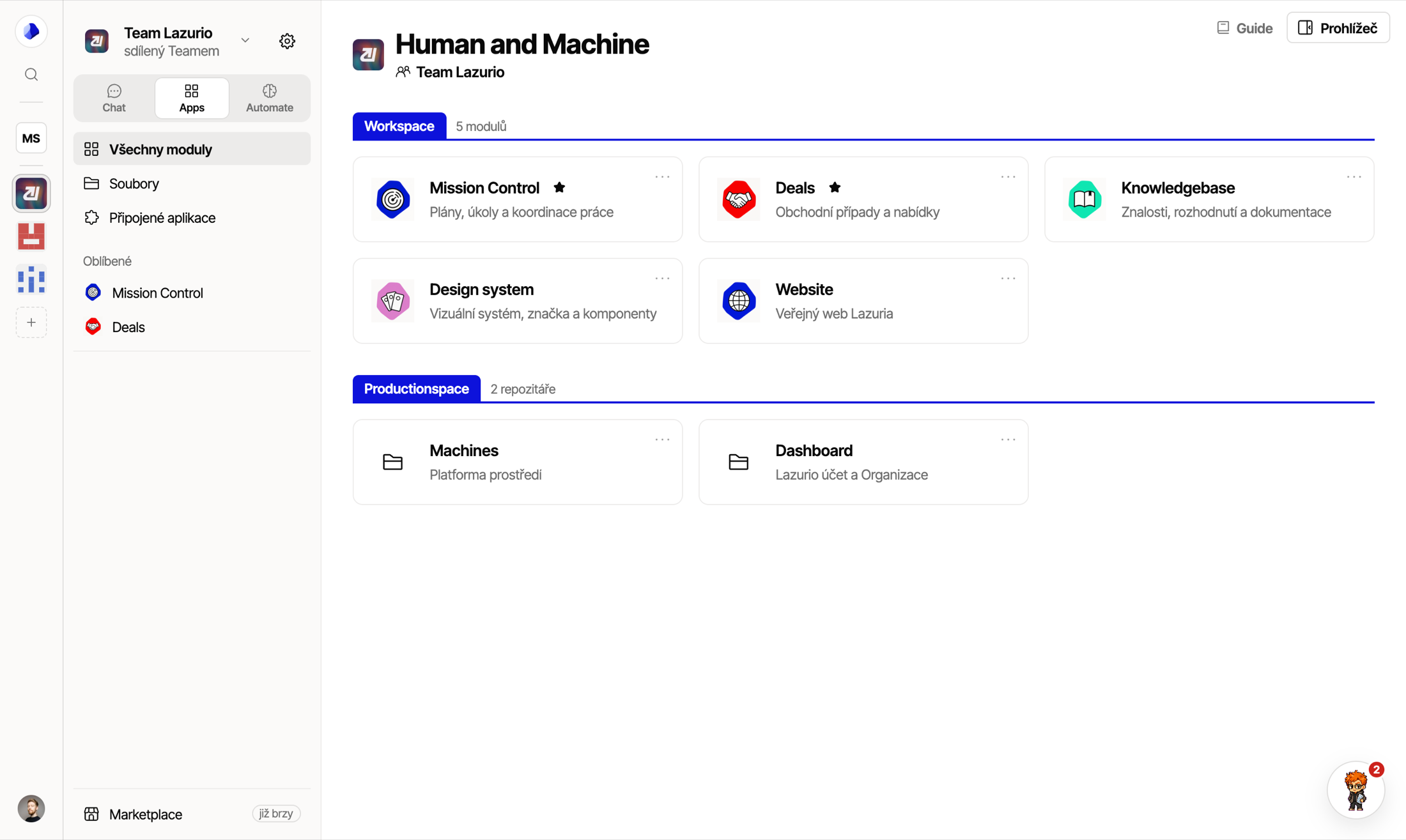
You open Lazurio in your browser. On the left are your work Environments, at the top the Chat · Apps · Automate switch. In Apps (Launchpad) you launch the Modules available in your Organization.
More about Lazurio at lazurio.ai
It works from your phone too.* You can give work to Agents from your phone as well — so your Organization is always with you and you can work from anywhere.
* Applies when you work in a remote Environment. The Admin of your Organization approves the phone once.
Company context stays in readable repositories and in the tools that own it. Lazurio respects their live access rights.
We connect email, calendar, documents or CRM according to the needs of a specific agenda and the available permissions.
You give work in Chat right inside Lazurio, open your company’s apps in Apps and hand an ongoing agenda over to automations. If you already work in Codex, Claude or Cursor, you can continue there too.
Working with AI today means solving three things at once: how to explain the task, where to get the context and where to save the output so it is useful next time. In Lazurio, a Task Agent takes the available context and returns one editable Draft for review.
In Chat you give work, in Apps (Launchpad) you open your Organization’s Modules, and in Automate your automations run.
A shared structure for Colleagues, company context, working rules and permissions.
Separate parts of the company for know-how, sales, content or other agendas — each with its own access.
A work session the user starts in Chat. It uses the context available to them and returns an editable Draft.
They take over a clearly defined ongoing agenda. A specific person from your company sets them up and is responsible for them.
Approved systems are connected according to the Organization’s settings and the access of the specific user.
Lazurio makes sense from a single Colleague’s first task. The same way of working can then grow with more Colleagues, Modules and automations.

For one person
The Colleague works in their Organization and gives specific work to a Task Agent. They get the resulting Draft back for review.
For the whole team
Colleagues work in the same Organization, but each sees only the Modules and tools they have access to.
You get a place to work that you use day after day. The consultation should lead to a specific assignment, a first working foundation and tasks you can try right away in your everyday agenda.
Colleagues work in the same Organization, but each according to their own permissions. Modules separate the individual parts of the work, and live access rights decide who can work with which company context and tool.

During a 20-minute demo, we will look at how your company works in practice and where the most time gets lost. Together we will pick a suitable agenda for the first step.
 Matěj Suchánek Co-founder Rozjedeme.ai matej@rozjedeme.ai